

Instead of relying on memory and manual paperwork, teams can follow prompts, log tasks in seconds, and share a real-time view of what is done, what is overdue, and what needs attention.
What daily compliance tasks does food safety software typically cover?
Most platforms cover the same repetitive tasks teams do every day, just with less friction and more consistency. They usually include temperature logs, opening and closing checks, cleaning schedules, allergen controls, delivery inspections, equipment checks, and corrective actions.
Because these tasks are built into templates, a HACCP program can standardize how each site completes them. That reduces “everyone does it differently” problems, especially across multiple locations.
How does digital checklists reduce missed steps and forgotten logs?
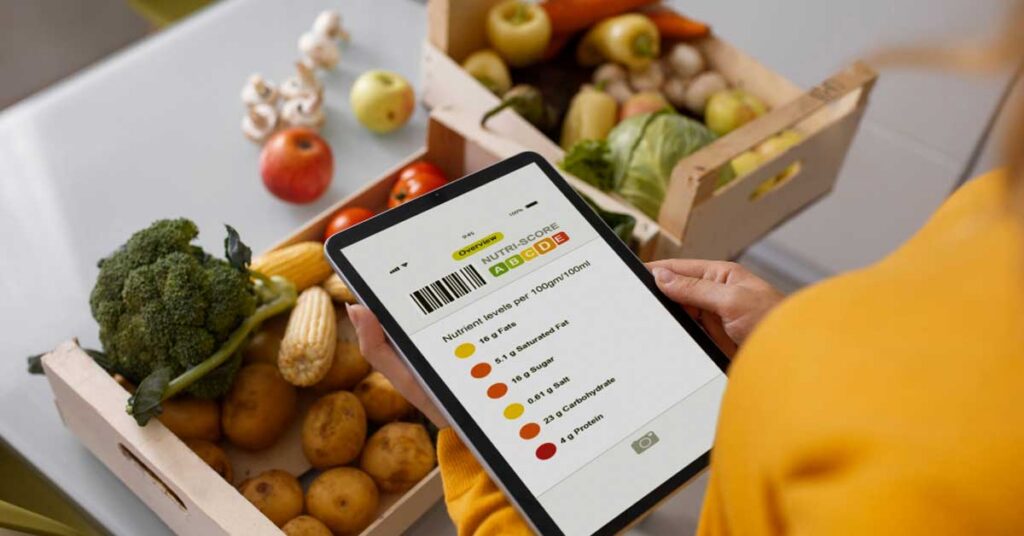
Digital checklists reduce missed steps by making tasks visible, timed, and hard to ignore. The system can schedule checks by shift, role, or station, then alert staff when something is due.
Many tools also require completion before a checklist can be submitted. That means fewer half-filled forms, fewer backdated entries, and fewer situations where someone realizes at the end of the day that a critical log never happened.
How does automated reminders and scheduling help busy teams?
Automated reminders act like a silent supervisor. Instead of managers constantly chasing staff, the software nudges the right person at the right time, then escalates if it is still not done.
Scheduling also helps with coverage. If shifts change, managers can reassign tasks quickly. That matters when compliance depends on frequency, not good intentions.
How does real-time visibility make management simpler?
Real-time dashboards give managers an instant view of compliance status across a site or an entire group. They can see which checks are complete, which are overdue, and where issues repeat.
This visibility changes the daily routine. Instead of checking paper folders, managers can spot problems early, intervene faster, and spend more time coaching rather than collecting signatures.
How does the software improve temperature monitoring and recordkeeping?
Temperature compliance is a high-frequency task and one of the easiest places to make mistakes on paper. Digital systems guide staff through each required reading and store the result automatically with a timestamp and user ID.
If teams use connected probes or sensors, readings can flow in automatically. That reduces manual entry, improves accuracy, and helps prove that controls were maintained throughout the day.
How do built-in corrective actions reduce risk when something goes wrong?
When a reading falls outside limits, software can trigger a corrective action workflow immediately. It can prompt staff to recheck, label and isolate product, adjust equipment, notify a manager, and document the outcome.
This matters because compliance is not only about logging problems. It is about proving that teams responded appropriately, consistently, and quickly.
How does photo evidence and digital signatures strengthen audit readiness?
Auditors often want proof, not promises. Digital tools can attach photos to cleaning tasks, delivery checks, and corrective actions, creating a stronger evidence trail than tick boxes alone.
Digital signatures also show accountability. They make it clear who completed a task and when, which reduces confusion and discourages “someone must have done it” assumptions.
How does centralised document control keep policies and certificates current?
Many teams struggle with version control. Old procedures stay on the wall, certificates expire in a folder, and new staff never see updated standards. Centralised document storage helps by keeping the latest files in one place. Click here to get more about “Version Control in Document Management: Why It Matters More Than Ever”
When documents are updated, teams can push changes to all sites at once. That supports consistency and reduces the risk of someone following an outdated process.
How does allergen management become easier with digital workflows?
Allergen controls often rely on consistent routines, clear labelling, and staff awareness. Software can build allergen checks into daily tasks, such as verifying labels, cleaning validation steps, and separation practices.
It also helps during menu or supplier changes. Teams can update allergen matrices and procedures centrally, then ensure sites acknowledge the change instead of relying on word of mouth.
How does staff training and accountability improve day-to-day compliance?
Compliance depends on people, and people vary. Digital systems can assign tasks by role, track completion by user, and highlight where training is needed based on repeated errors or missed checks.
Some platforms also include micro-training, sign-offs, or brief knowledge checks tied to procedures. That helps ensure staff understand not just what to do, but why it matters.

How does multi-site reporting help standardise operations?
Multi-site operators often struggle to compare performance because each location logs differently. Digital systems standardise forms and reporting so they can compare like-for-like results.
They can then spot patterns, such as one site with frequent cooling failures or another with inconsistent cleaning completion. That makes it easier to target support, not guess.
How does digital compliance reduce admin time without lowering standards?
Paper systems create hidden admin work: printing, filing, chasing missing logs, rewriting messy notes, and preparing audit packs. Digital systems reduce that overhead by capturing data once and storing it automatically.
The standards do not drop. In many cases, they rise because tasks are clearer, checks are more consistent, and issues are addressed faster with less room for “lost paperwork” excuses.
What should they look for when choosing a digital food safety platform?
They should look for software that matches their operation, not the most features on a sales page. The best fit typically includes easy checklist creation, strong corrective action workflows, offline capability, clear reporting, and simple user management.
It also needs to work on the devices staff actually use and be quick to complete during service. If it slows teams down, they will avoid it, and compliance will suffer.
How can they roll it out without disrupting service?
A smooth rollout starts with one site or one department, using existing paper processes as the baseline. Teams can digitise the most critical daily checks first, then expand once staff are comfortable.
Clear ownership helps. When managers review dashboards daily and act on overdue tasks, staff learn that the system matters. That is how digital tools become routine, not just another app.
More to read : What Is the Danger Zone for Food and How Can Technology Prevent Breaches?
What is the simplest takeaway on using software for daily compliance?
Digital food safety software simplifies daily compliance by making tasks harder to miss, easier to prove, and faster to manage. It replaces scattered paperwork with guided workflows, real-time visibility, and audit-ready records.
When used consistently, it helps teams spend less time chasing logs and more time preventing the issues those logs were meant to catch.
FAQs (Frequently Asked Questions)
What daily compliance tasks does digital food safety software typically cover?
Digital food safety software usually covers repetitive daily tasks such as temperature logs, opening and closing checks, cleaning schedules, allergen controls, delivery inspections, equipment checks, and corrective actions. These tasks are standardized through templates to ensure consistency across multiple locations.
How do digital checklists help reduce missed steps and forgotten logs in food safety compliance?
Digital checklists make tasks visible, timed, and hard to ignore by scheduling checks by shift, role, or station and alerting staff when something is due. They often require full completion before submission, reducing half-filled forms, backdated entries, and missed logs.
In what ways do automated reminders and scheduling support busy food safety teams?
Automated reminders act like silent supervisors by nudging the right person at the right time and escalating if tasks remain incomplete. Scheduling helps manage coverage during shift changes by allowing managers to reassign tasks quickly, ensuring compliance depends on frequency rather than good intentions.
How does real-time visibility through dashboards make food safety management simpler?
Real-time dashboards provide managers with instant views of compliance status across sites or groups, showing completed checks, overdue tasks, and recurring issues. This enables early problem detection, faster intervention, and more time for coaching instead of chasing paperwork.
What benefits does digital food safety software offer for temperature monitoring and recordkeeping?
Digital systems guide staff through required temperature readings and automatically store results with timestamps and user IDs. Connected probes or sensors can feed readings directly into the system, reducing manual entry errors and providing proof that temperature controls were maintained throughout the day.
How do built-in corrective actions in food safety software reduce risks when issues arise?
When readings fall outside limits, software triggers corrective action workflows prompting staff to recheck measurements, label or isolate affected products, adjust equipment settings, notify managers, and document outcomes. This ensures consistent and timely responses that demonstrate proper risk management during audits.